 9
9
- Changes background
- Connects to the internet without permission
- Shows commercial adverts
- Slow internet connection
- System crashes
- Annoying Pop-up's
- Slow Computer
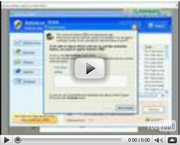
Home Personal AntivirusHome Personal Antivirus is a dangerous and deceptive rogue antispyware application. It is nothing like the name suggests and has no relationship with any antivirus products. The only associated which Home Personal Antivirus will ever have with an antivirus product, is that you will need to buy a really good one, in order to detect Home Personal Antivirus, on your computer system. You need to know that Home Personal Antivirus was created in order to obtain your money, invade your privacy as well as cause you many unwanted computer problems. It is imperative to be aware of the factor that Home Personal Antivirus is an exact clone of General Antivirus as well as Internet Antivirus Pro. Home Personal Antivirus may go by the following names: Home Personal Antivirus is the newest clone of XP Deluxe Protector, WinPCAntivirus, WinPCDefender, XP Police Antivirus, IE-Security, win Defender 2009 and Total Secure 2009 Home Personal Antivirus may display some of the following symptoms: Home Personal Antivirus, may gain access to your machine, without your knowledge or consent. It will automatically install itself onto your machine and may start up, each time that you boot up your computer. Home Personal Antivirus may proceed to run a fake system scan, which will generate terrifying results. If you get warned that you have all types of computer threats running on your machine, don’t believe any of it as it is one big scam. The only real threat which you have on your machine is Home Personal Antivirus itself. You need to stop everything that you are doing and concentrate entirely on removing Home Personal Antivirus from your machine.. You have the choice of either the manual removal process or alternatively the automatic removal process. It is highly suggested to not even attempt the manual removal process as the chances are high that you could cause further damage to your computer. It is suggested that you make use of the automatic removal process with the help of a decent and up to date spyware scanner. Home Personal Antivirus is something you don't want anywhere near your computer in any way, shape or form. | ||||||||
|
Download Spyware Removal Tool to Remove*
Home Personal Antivirus
| ||||||||

|
How to manually remove Home Personal Antivirus
Files associated with Home Personal Antivirus infection:
install[1].exe
Home Personal Antivirus processes to kill:
install[1].exe
Remove Home Personal Antivirus registry entries:
MicrosoftWindowsCurrentVersionRunHomeAV
MicrosoftWindowsCurrentVersionUninstallHome Personal Antivirus

Post comment — WE NEED YOUR OPINION!